macOS 用 MetaTrader 4

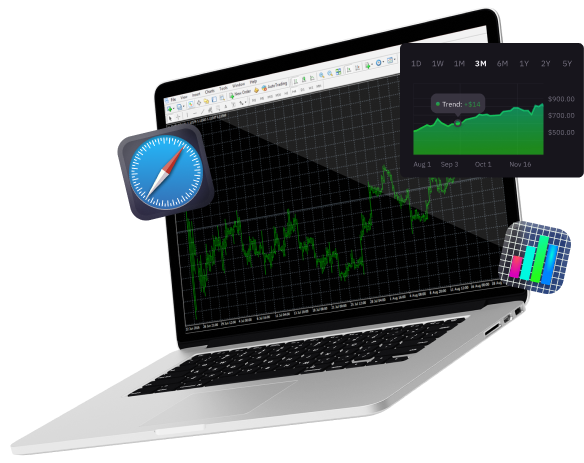
A Portable Hub for Real-time Financial Insights and Informed Trading Decisions.
T4Trade Logo on a Black Background: A Striking Emblem of Financial Excellence and Trading Precision
Blue circle on black background
a red cycle with black background
Blue Cycle on Black: A Symbol of Endless Motion
A laptop displaying the Windows operating system on its screen.

Windows,

White laptop with blue apple logo

MacOS

Icon Representing Apple the MetaTrader 4.

iPhone/iPad

Seamlessly Access and Manage Forex Markets with the Power of Mobile Trading on Android.

アンドロイド,

ダウンロードして取引する
macOS 用の MT4 で

MT4 for Windowsと同じ機能をMacデバイスで体験してください。MacのMT4で取引し、再見積もりなしと柔軟なレバレッジで取引を体験してください。高度なインフラストラクチャと、チャート、アラート、分析ツールなどの機能で簡単に使用できます。

すべての取引にはリスクが伴い、資本を全額失う恐れがあります。

すべての取引にはリスクが伴い、
資本を全額失う可能性があります。

MT4で世界の金融市場にアクセスする

外国為替市場 世界で最大かつ最も人気のあるグローバル金融市場の一つとなっており、ますます多くのユーザーがオンライン取引に参加しています。新しい世代のトレーダーたちは、外国為替市場のボラティリティ、深い流動性、柔軟なレバレッジによってもたらされる機会から恩恵を受けています。このようなオンライン取引への移行により、 取引プラットフォーム 重要な役割を果たし、非専門のトレーダーがFX取引に参入できるようにしました。

長年にわたり、MetaTrader 4 は最も人気のある取引プラットフォームとして、FXやその他の金融商品(例:)の取引に使われてきました。 CFDs, 先物, 指数、そして 商品。このプラットフォームは Expert Advisors(EA)と連携して動作し、トレーダーが MT4 プラットフォーム内でアルゴリズム取引プログラムを設定することで、取引を自動化できます。

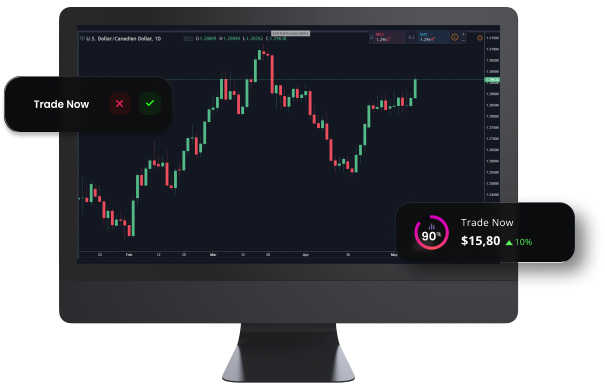
Monitor Displaying Real-time Financial Data for Informed Trading Decisions.

MT4は、

Green Tick: Symbol of Approval, Success, and Positive Outcome.

Windows,

Green Tick: Symbol of Approval, Success, and Positive Outcome.

MacOS

Green Tick: Symbol of Approval, Success, and Positive Outcome.

アンドロイド,

Green Tick: Symbol of Approval, Success, and Positive Outcome.

Any Internet Browser

White laptop with blue apple logo

MT4 for Mac - 特徴

MacOS用MT4へのログイン方法

A blue and gray sphere with a speech bubble, representing communication and interaction.

Visit our FAQ page for more information on the MT4 platform for macOS

Navigate the World of Trading with Step-by-Step Instructions for Mac Users.

MT4 MacOSのユーザーガイド

macOS用MT4プラットフォームをダウンロード、インストール、使用する方法については、ユーザーガイドをお読みください

早速開始して、 300以上の商品のCFD取引を優れた取引条件で実体験しましょう。